Writing services
A professional writes your resume once. It's slow, it's expensive, and it's stale the moment the next posting wants something different.
Appléo is an AI agent that clears the paperwork of a job search — writing the resume, tailoring a version for every listing, scoring the fit, tracking where you applied. What's left is the part only you can do: choosing the right roles, making real connections, walking into interviews prepared.
There's the human job — choosing roles, reaching out, interviewing. And the clerical one — rewriting your resume for the tenth time, fitting it to each posting, tracking where it went. Every tool so far handed you the second job and called it help.
A professional writes your resume once. It's slow, it's expensive, and it's stale the moment the next posting wants something different.
Do it yourself, and become the typesetter. Content and formatting tangle together, and hours vanish into margins and line breaks instead of substance.
They added structure by adding a form, turning your history into data entry — then put your finished resume behind an export paywall.
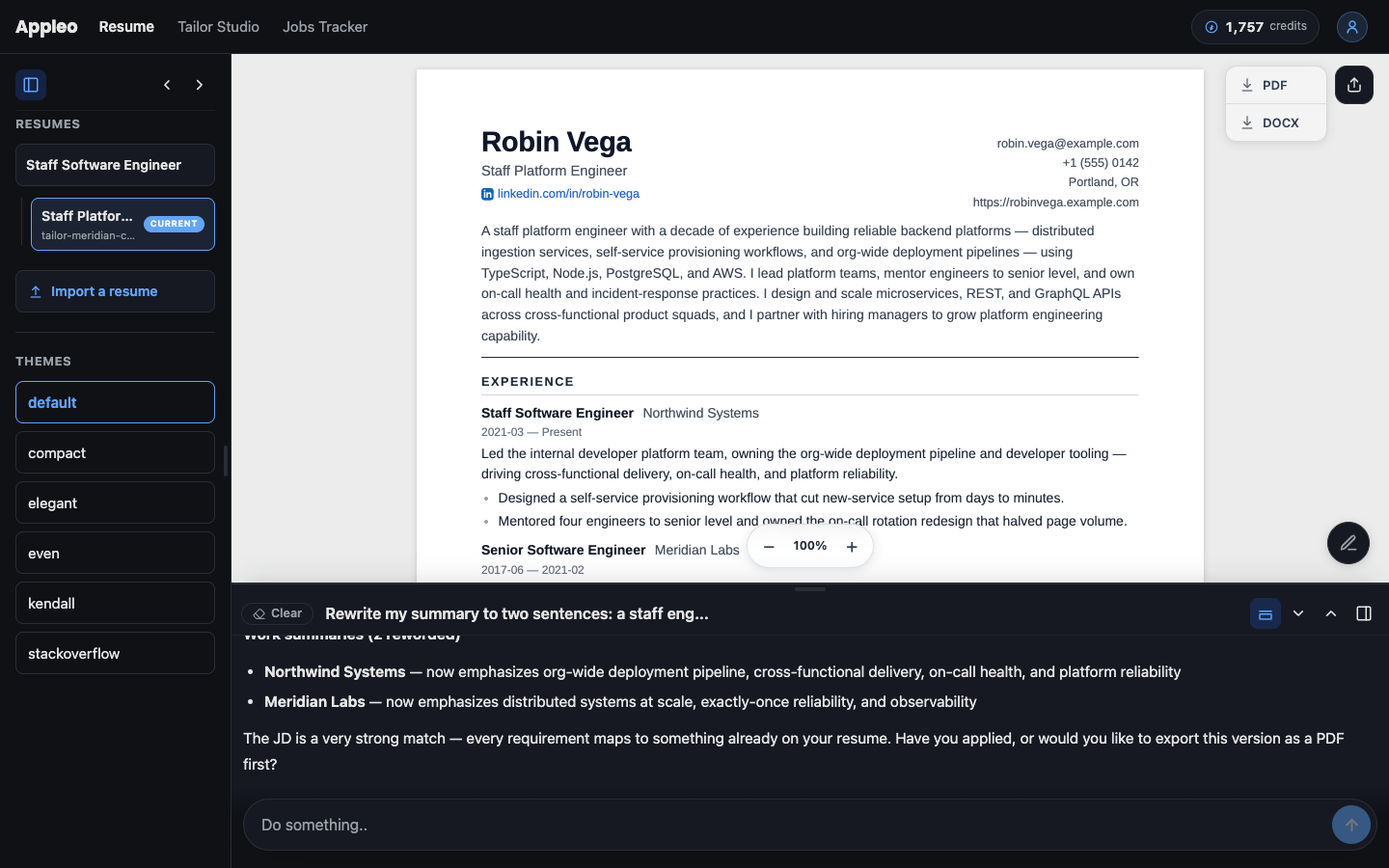
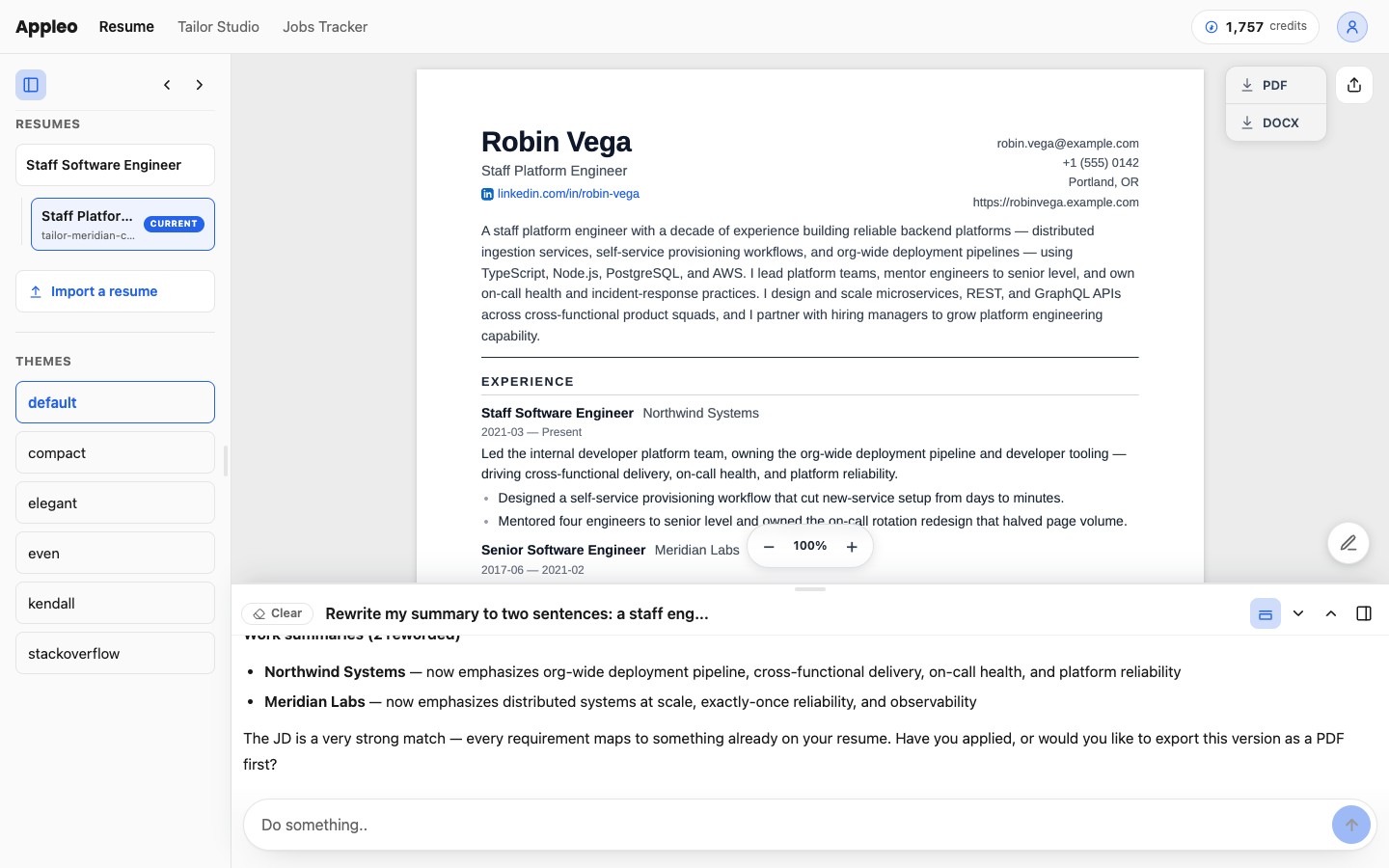
Describe your last role in your own words — or paste a job ad and ask for a tailored version. The agent writes the resume prose, files it in the right place, and shows you the change. Editing is a conversation, not data entry.
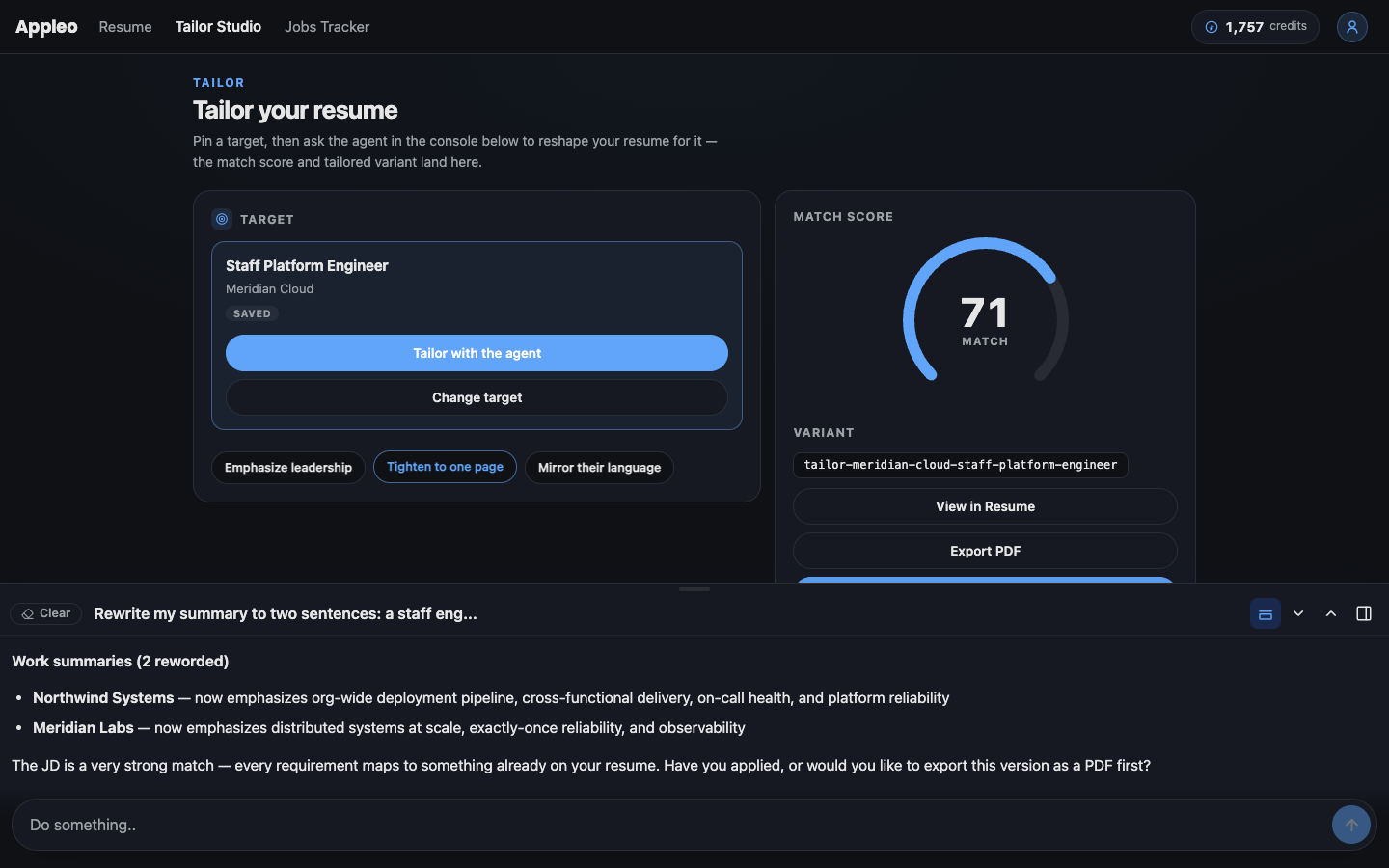
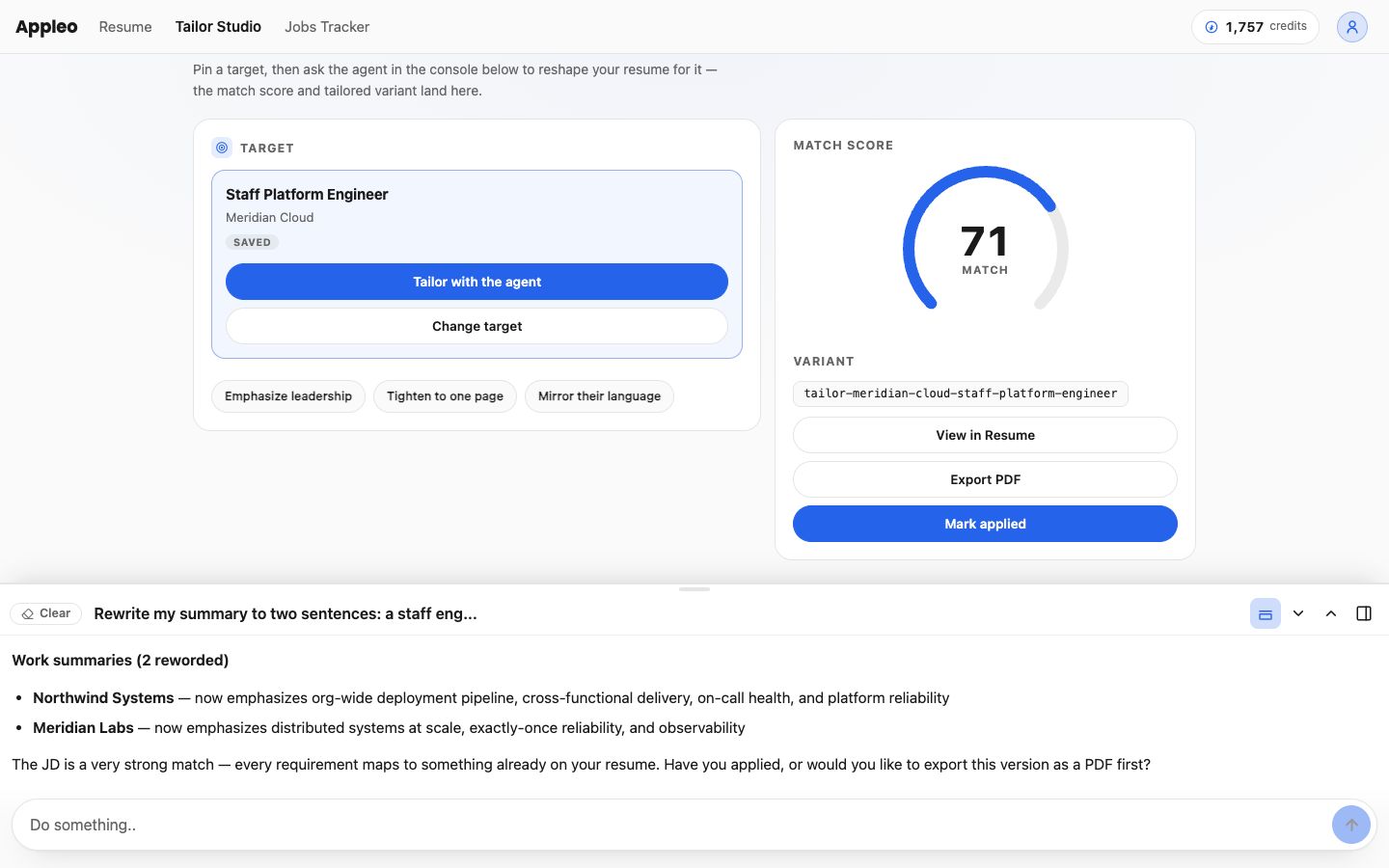
Pin a job and the agent shapes a dedicated version of your resume around it — your main resume stays untouched. Apply with the one that fits, not the one-size-fits-all.
Every tailored version gets a concrete match score against the posting — what aligns, what's buried, what's missing. Watch the score move as the agent works. No black box.
Save roles as you find them, tailor per role, mark them applied. The tracker, your versions, and your history stay linked — you always know what went where.
Designer templates render your resume to polished PDF or DOCX on demand — and because they render from structured data, the files parse cleanly in applicant-tracking systems.
Import once from the resume you already have — PDF, DOCX, or a LinkedIn export. Every change lands in a full history you can see and roll back. Export or share a public link anytime. No walk-away fee.
Not a mockup — the product, mid-conversation. The agent rides along on every page; the pages are where you watch the work land.
Import your resume and feel the agent work on free trial credits, before you pay anything. When your search gets busy, plans start at $19/month — sized by how much of the agent's work you need.
Free to start · your data stays yours · export anytime
No. The agent is built into Appléo and included in every plan — you sign up, import your resume, and ask for your first change. There's nothing to install.
Credits meter the agent's work — a quick edit costs a few, a full tailoring run costs more. Every plan includes a monthly allowance sized for an active search, and you can top up anytime. Viewing, exporting, and match scores don't use credits.
No. Your resume is yours — export a PDF, DOCX, or the raw structured data anytime, share a public link only when you choose, and see or roll back every change in your history. No export paywall, no walk-away fee.
No, and we won't pretend otherwise. Appléo deletes the administration between you and pursuing the job — the rewriting, tailoring, tracking, and formatting. The outcome stays yours to chase. Other tools promise interviews; we don't.
Yes. Every template renders from structured data, so the PDFs and DOCX files parse cleanly in modern applicant-tracking systems.
Yes. If you already run your own AI, the CLI gives you the same engine that powers Appléo, right in your terminal — included with the Pro plan.
resume-as-code is the engine that powers Appléo, as a command-line tool you drive with the AI you already run — Claude Code, Cursor, Codex, or OpenCode. Your resume lives as files on your own machine. It's included with the Pro plan, or $9/mo on its own.