Word processors
MS Word, Pages, Google Docs. You wrote copy and fought margins, fonts, indents, and line breaks. Your content and its formatting were tangled together. Hours lost to alignment, not to substance.
A new paradigm for writing resumes. Talk to an AI — it writes the substance, handles the structure, and renders your data through hundreds of designer templates. The mechanical work disappears. Spend your time applying for jobs and preparing for interviews, not fighting margins.
Every tool you've used to write a resume has made you do the machine's job — chasing margins, fighting line breaks, hand-tuning every comma's position. The ones that fixed it locked you into their CMS and charged you to export your own data. The paradigm has been broken from the start. There's a better way.
MS Word, Pages, Google Docs. You wrote copy and fought margins, fonts, indents, and line breaks. Your content and its formatting were tangled together. Hours lost to alignment, not to substance.
resume.io and the rest gave you a form — structure, finally — but the price was living inside their CMS, on their schema, with their templates. And paying them to export your own resume.
Both approaches share the same lie: that a human should hand-tune every comma's position. You only need to express your experience clearly. The machine should do the rest.
Your AI writes the substance. Designer templates handle the form. Jobs flow in from any board with one click. Match Analysis tells you how each version reads against the role. You stay on what matters — your story — and never touch a margin again.
Tell it what to write verbatim, or just describe your last role in your own words — speech-to-text works great. The AI shapes it into resume prose and updates the right fields. Editing is conversation, not data entry.
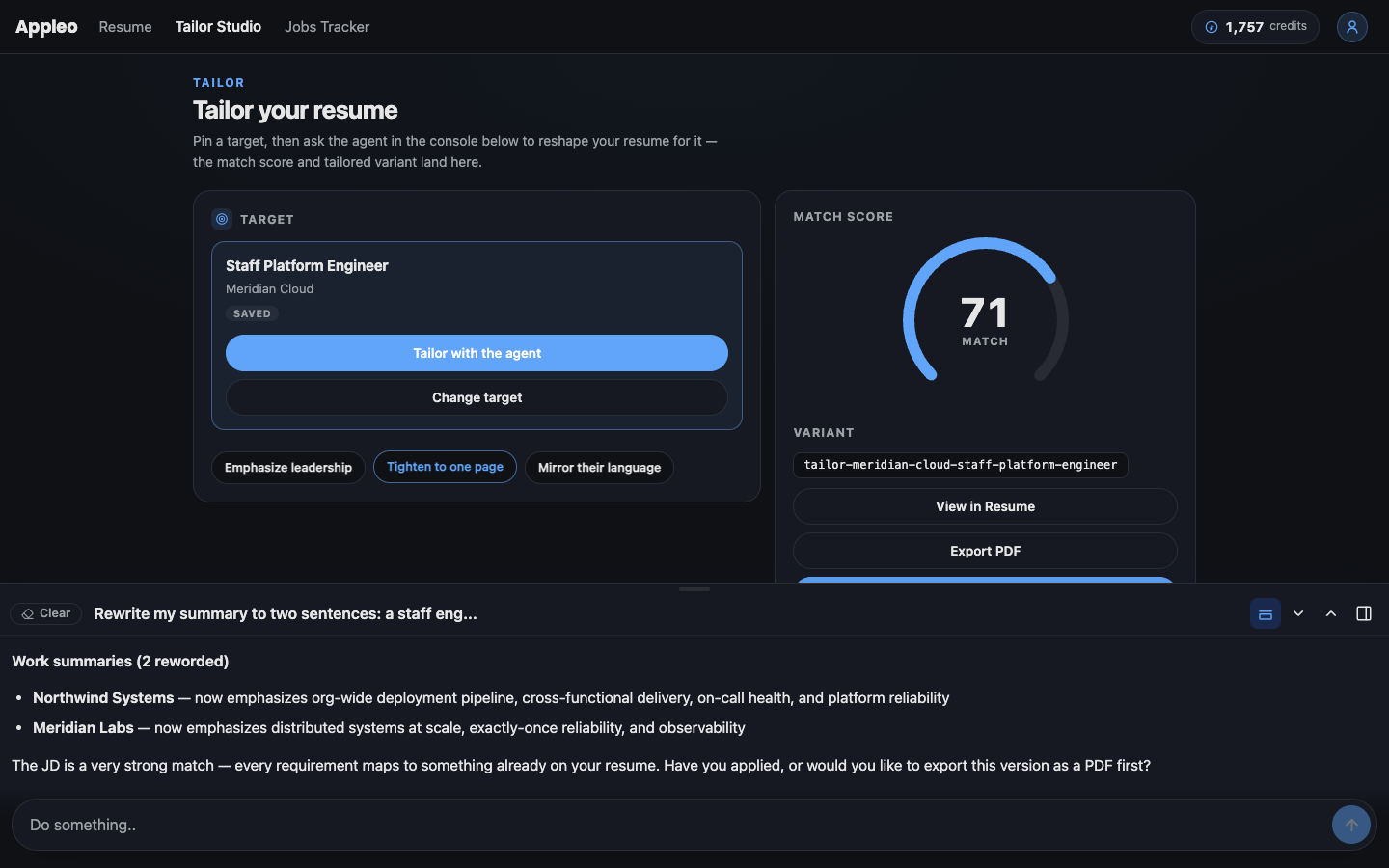
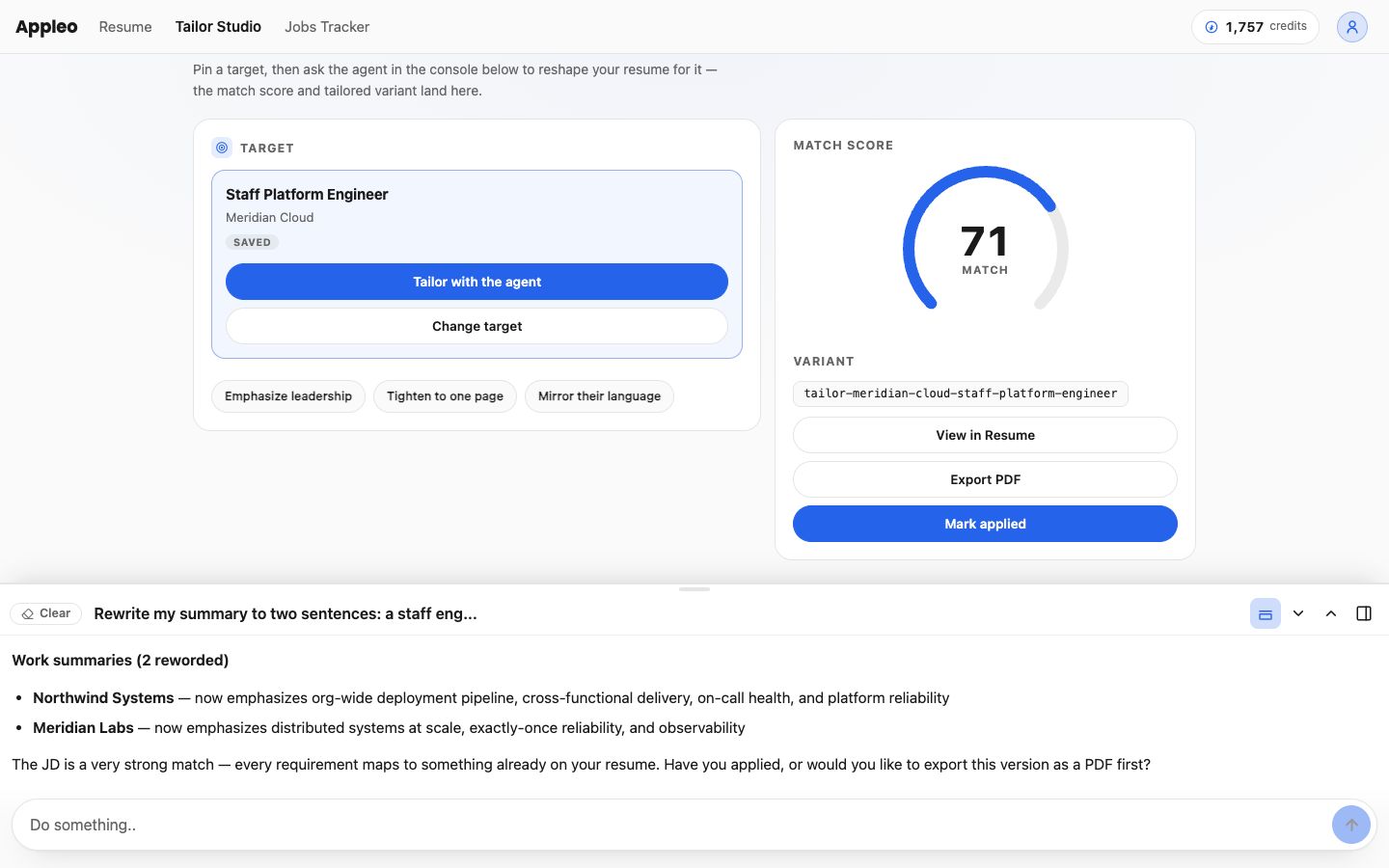
Save jobs from any board with one click, then ask the AI to tailor a version of your resume for each. Each variant is self-contained. Edit freely. Your canonical resume stays clean.
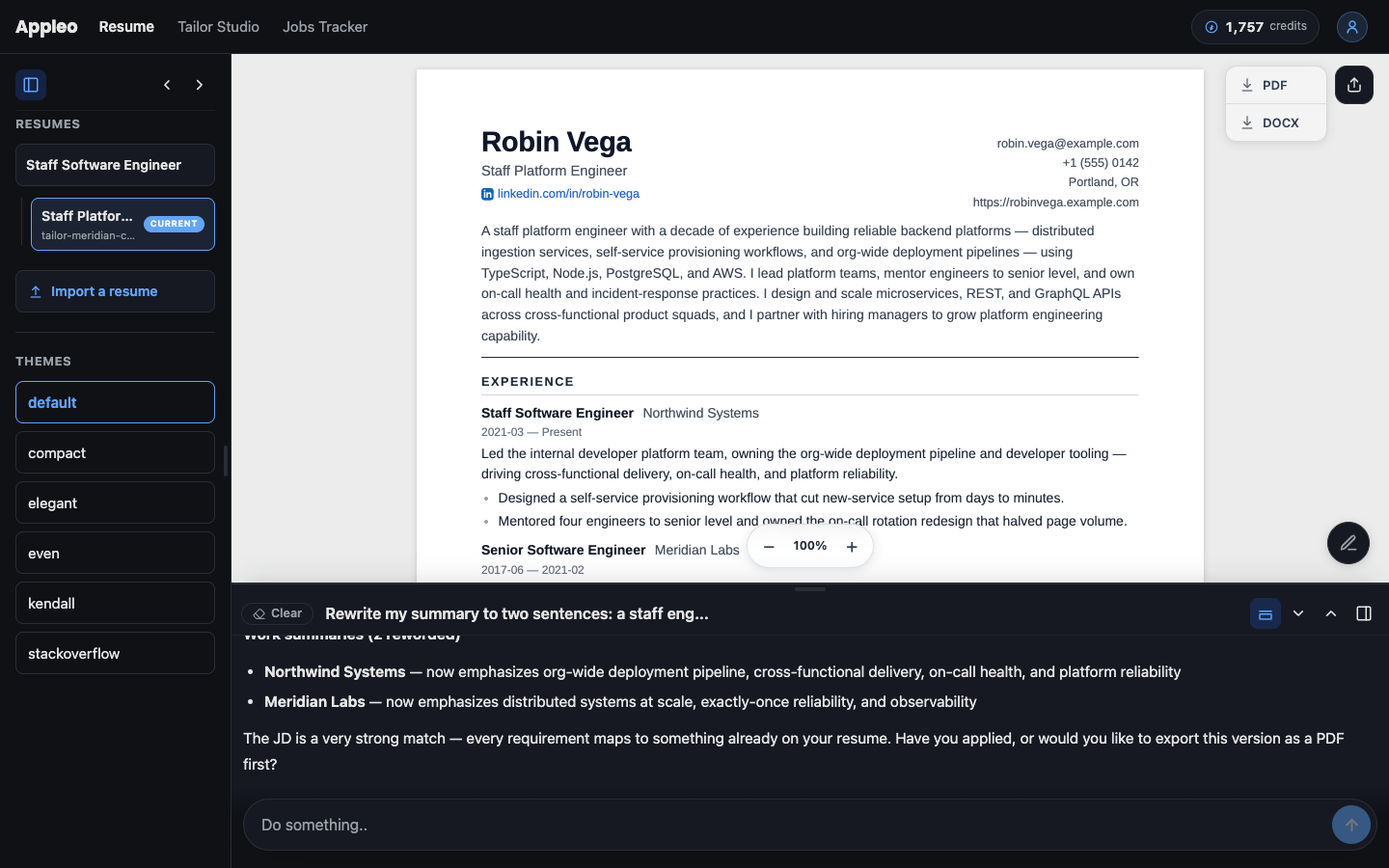
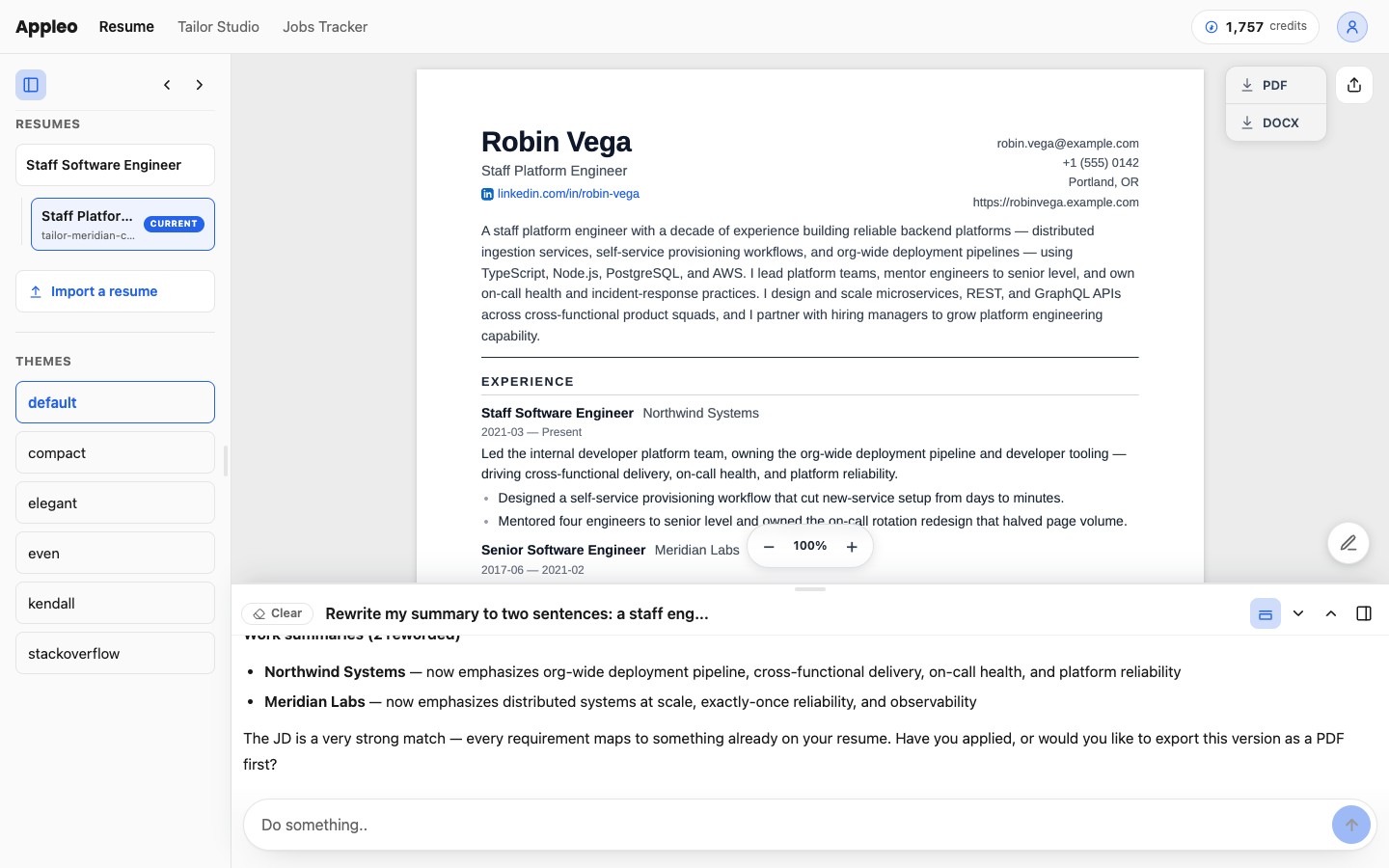
Hundreds of professionally-designed templates work out of the box. Click through them all in the live preview, with your real data. Pick one, tweak it with the AI, and export PDF or DOCX in one click. Every template renders from structured data, so the resulting documents parse cleanly in any applicant-tracking system.
Paste a job description, or use one of your saved jobs — the AI tells you, specifically, what aligns, what's buried, and what's missing. Concrete suggestions, not a black-box score. The substantive part of fitting your resume to a role.
Acme Inc. · Staff Software Engineer San Francisco · Remote OK
resume-as-code · Save
↓ Saved to your queue.
Browsing LinkedIn, Greenhouse, Lever, Workday, or any job board? One click on the browser extension and the role is captured — company, JD, link, everything. When you next open resume-as-code, the job is already waiting.
Speak naturally — full sentences, fragments, speech-to-text, whatever. The AI files what you say under the right entry, shapes it into resume prose, and saves the change. You see the result. You move on.
"I just shipped a project that cut our build times in half. Add it under my current role, last month."
Added to work · Acme · Aug 2025. "Reduced build times 50% by introducing incremental compilation across the monorepo, recovering 2.5 engineer-hours per dev per week." Want me to keep that phrasing?
Modern Compact Elegant Classic Bold Minimal Selected: Elegant
Export PDF ↓ Export DOCX ↓
Browse the live template gallery — your data, every template, side by side. Want to tweak a color or move a section? Tell the AI. It edits the template for you and re-renders. Export PDF or DOCX in one click.
Pick a saved job, or paste a JD inline. The AI creates a tailored variant of your resume in seconds — reordered, re-emphasized, re-summarized for that specific role. Your canonical resume stays untouched. Decide later which wording to keep.
Tailor my resume for the Acme job I saved.
Variant created: tailor/acme-staff-eng - Reordered work to lead with platform - Retuned summary for scale + reliability - Surfaced relevant projects - Exported: acme-staff-eng.pdf ↓
Fit: 87/100 — strong
Your platform engineering at Acme maps directly to their scale and reliability focus. The build-time work specifically addresses developer productivity.
On-call experience is buried in the incident-handling bullet; the JD emphasizes 24/7 ownership. Surface it higher.
They mention Kubernetes operator authoring specifically. Acknowledge or skip.
Promote the on-call bullet; add a skills entry for operator work; reword build-time to lead with "scale."
Match Analysis compares your resume against any job description and tells you, specifically, what aligns, what's buried, and what's missing. Concrete suggestions, not a black-box score. The result is the substantive part of fitting your resume to a role — everything else is rendering, which the templates handle on their own.
Cloud is the easy way: a web app with a built-in AI, your resume and jobs hosted, a public profile URL. Local is a download you install on your machine — bring your own AI from Claude Code, Cursor, Codex, or OpenCode, and keep everything on your computer. Same data format. Same templates. Same Match Analysis. Different starting point.
No. Cloud is a normal web app — chat with the AI in your browser, get a perfect PDF. Local requires having an AI agent like Claude Code or Cursor on your machine, which is a one-line install but assumes you've used a terminal before. Either way, you never edit data files directly.
Cloud is hosted by us: a web app with a built-in AI, your data on our servers, a public profile URL, premium templates, custom domain support. Local is a download you install on your computer; you bring your own AI agent (Claude Code, Cursor, Codex, OpenCode), and your resume stays on your machine. Same features, same data format, same exports.
Install the extension, sign in, and a button appears on every major job board page — LinkedIn, Greenhouse, Lever, Workday, and more. Click it on any role you're interested in and the job is saved. The next time you open resume-as-code, the job is already there, ready for you to tailor a variant or run a Match Analysis against it.
Two reasons: license verification, and the Chrome extension. The extension needs somewhere to send the jobs you save while browsing — a small cloud queue your local machine pulls from. Your resume itself never leaves your computer. The free account is plumbing, not a tier; it gives you the queue and nothing else.
Cloud stores your resume and jobs in a real repository in our infrastructure. You can export everything — your data, your variants, your edit history — in standard formats and walk away anytime. Local keeps everything on your machine except the extension's job queue (which you control). Your resume data is in a portable, open standard, so it's readable in any tool that speaks it.
Two things matter to an ATS: whether your document parses cleanly into structured fields, and whether its content matches what the job is asking for. resume-as-code handles both. Your resume is structured data from the start — names, dates, roles, sections, all in named fields — so when a template renders it to PDF or DOCX, the resulting document parses cleanly into any modern ATS. For the content side, Match Analysis compares your resume against any job description and gives you a specific read on what aligns, what's buried, and what's missing. You can also export raw structured data for ATS systems that accept it directly.
Yes. Local ships with a skill manifest that drops into any modern AI agent. The tool itself is deterministic — no model baked in — so it works with whatever AI you bring.
Yes — PDF, DOCX, HTML, or LinkedIn data export. The AI extracts the content and populates your structured profile. You start with the resume you already have, restructured, with no rewriting from scratch.